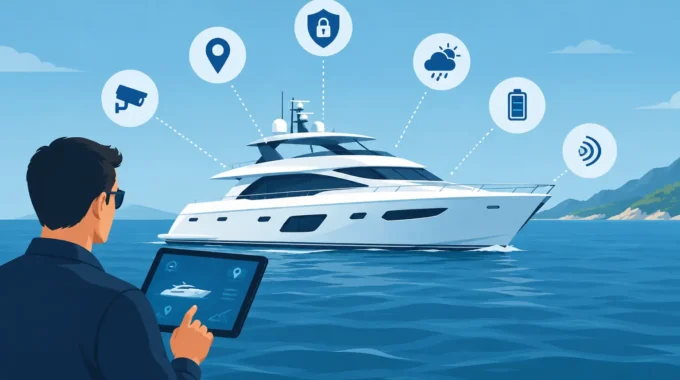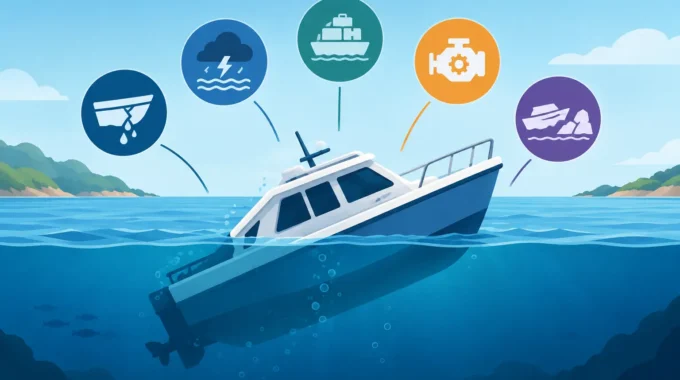
The best yacht monitoring features spot flooding, power loss, fire, theft and anchor drag early, sending proof to your mobile before damage spreads fast.
Can Marine Cameras Request Images on Your Boat?
A bilge alarm tells you there is water where it should not be. A camera image can tell you whether it is a minor pump issue, a burst hose, a leaking hatch or the start of a very expensive sinking. So, can marine cameras request images? Yes – when they are connected to a properly configured remote vessel-monitoring system with power and communications available.
That distinction matters. A standalone camera pointed at your cockpit is not much use if you cannot see it while you are at home, interstate or overseas. The useful system is one that lets you request a current image from your mobile, or automatically sends visual evidence when an alarm condition occurs.
For an unattended yacht, cruiser, houseboat or work vessel, that is the difference between guessing and acting.
Can marine cameras request images remotely?
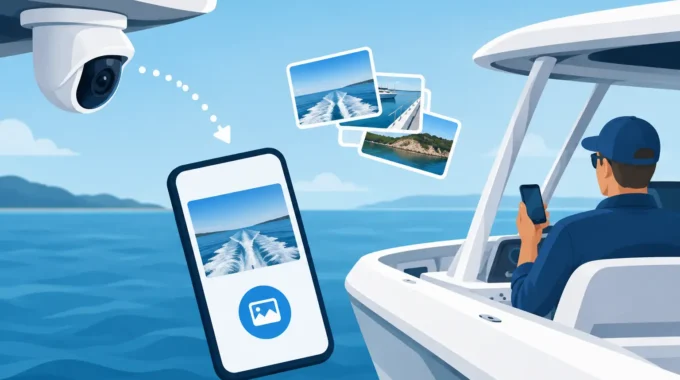
A marine camera can provide a requested image remotely when the monitoring controller can communicate with it and send that image through the available mobile or satellite connection. In practical terms, you use an app, SMS command or system control to ask for an image. The system captures the scene and sends it to your nominated mobile.
The camera does not make the decision by itself. The vessel monitoring system is the control centre. It watches inputs such as bilge level, shore power, battery voltage, smoke detection, intrusion sensors and vessel movement. When an alarm is triggered, it can command the camera to capture images and send them with the alert. The owner can also request an image outside an alarm event to check on the vessel.
This gives you a current view, not yesterday’s recording. If a high-water alarm arrives at 2.00 am, you need to know what is happening now: is the bilge pump running, is water rising, is the cabin affected, and is the boat sitting normally in the berth?
Why an image changes the response
Marine alarms should be treated seriously, but not every alarm requires the same response. Visual confirmation helps you make the right call quickly and give clear instructions to a marina manager, neighbour, contractor or emergency service.
A requested image can answer the immediate questions that matter. Is an intruder still aboard? Has shore power tripped and left the fridge off? Is the boat listing after a bilge alert? Has an anchor-drag warning become a real risk of collision? Is smoke visible around an electrical locker?
Without images, an owner may drive for hours to find a simple cause, or worse, dismiss an alert that was the first warning of a major failure. A camera cannot replace a physical inspection where safety is at risk, but it gives you evidence to prioritise the response.
For commercial operators and fleet managers, the benefit is even clearer. One person can assess a number of vessels from a mobile before dispatching staff. That saves wasted call-outs while making sure genuine incidents are not left unattended.
Alarm-triggered images versus owner-requested images
Both functions are valuable, but they serve different jobs.
Images triggered by an alarm
Alarm-triggered images are designed for the first critical minutes. A sensor detects a problem and the system sends the alarm, usually with camera images from the relevant area. This is particularly useful for break and enter, fire or smoke, high bilge water, vessel movement and shore-power loss.
The best setup places cameras where they can show the consequence of a fault, not just the sensor itself. A camera overlooking the cabin entrance may confirm an intruder. One facing the engine space access or bilge area can help establish whether water is accumulating. An external camera can show whether the vessel is secure at the berth after an excessive pitch, roll or adrift alert.
Images requested by the owner
A user-requested image is a routine check or a follow-up after an alert. You may want to see the vessel before a weekend trip, confirm that covers are in place after a storm, check conditions at the berth, or look inside after a low-battery notification.
This is especially useful when your vessel is left in a remote mooring, a regional marina or a storage yard. You do not need to wait for a fault to learn whether something looks wrong. If the camera view shows water, damage or suspicious activity, you can escalate immediately.
What must be in place for remote image requests to work?
Remote camera images depend on more than the camera. Before relying on the feature, make sure the installation covers four essentials:
- A marine-rated camera and monitoring hardware suited to the vessel environment. Moisture, salt spray, vibration and heat destroy equipment that was never designed for a boat.
- Reliable vessel power with low standby current draw. A monitoring system that drains the batteries it is meant to protect creates its own problem.
- A communications path, such as 4G coverage or a Starlink-enabled connection for vessels operating beyond dependable mobile coverage.
- Correct configuration of image recipients, camera positions, alarm rules and authorised mobiles.
If the boat loses all power, suffers damage to its antenna or sits outside the available network footprint, it may not be able to send an image. That is not a reason to avoid remote monitoring. It is a reason to design the system properly, monitor battery and communication status, and set alarms for shore-power loss and low voltage before the situation becomes critical.
Image quality also depends on lighting, lens placement and the network available at the time. A clear HD daytime image can be decisive. At night, a poorly placed camera facing glare from marina lights may show far less than expected. Test the actual views after installation, in daylight and darkness, before assuming they will deliver useful evidence during an emergency.
Camera placement that helps during a real incident
Owners sometimes install a camera for the best-looking view of the boat. Security monitoring needs a different approach. The most useful camera locations are those that help verify a known risk.
An exterior camera can cover the cockpit, boarding point, tender area or berth lines. An interior camera can show the saloon, companionway and valuable equipment. Depending on the vessel layout, another camera may cover the machinery space entrance, electrical panels, refrigeration area or a bilge zone.
Do not mount a camera where a hatch, curtain, seat cushion or moving gear can obstruct it. Avoid direct exposure to sun glare and reflections from glass. Run and protect cabling properly. A camera that works perfectly at the dock but fails after the first rough passage or rain squall is not protection.
Larger vessels and catamarans may need more than one monitoring zone. Separate cameras and sensors provide better information than trying to cover every risk from a single wide-angle view. The right number depends on the vessel’s layout, the value of the assets aboard and the consequences if an area is left unseen.
Can images be sent to more than one person?
They can, provided the monitoring system is configured for the right recipients and alert method. This is useful where a vessel has joint owners, a marina contact, a skipper and a family member who can respond first.
Do not make the recipient list so broad that everyone assumes someone else will act. Nominate who is responsible for each type of alarm. For example, a low-battery or shore-power alert may go to the owner and electrician, while an intrusion image may go to the owner and marina security.
Trek Transponder systems can send direct alarms to up to five mobile numbers, giving nominated people the chance to see the problem and respond without waiting for an email to be checked. That direct path matters when a failed bilge pump or loose mooring line is becoming worse by the minute.
Request images before you need them
The first image request should not happen during a flood, theft or fire event. Test the command when the boat is safe and you are nearby. Confirm that each camera returns a useful image, that the nominated mobiles receive it, and that the view remains useful after sunset.
Check the system after electrical work, a SIM or network change, a long lay-up period and any time cameras or antennas have been moved. If your vessel is heading offshore or is kept in an area with patchy mobile coverage, confirm how the communications arrangement will perform there.
A requested image is not just a convenience feature. It is proof that helps you decide whether to call the marina, send someone to the vessel, arrange urgent repairs or get moving yourself. Set it up, test it properly, and make sure the people who receive the images know exactly what action they are expected to take.
Related Posts