Do boat alarms work offshore when mobile coverage disappears? Learn what reliable offshore vessel monitoring needs to catch trouble early and act fast.
How to Set Camera Alarm Snapshots on Your Boat
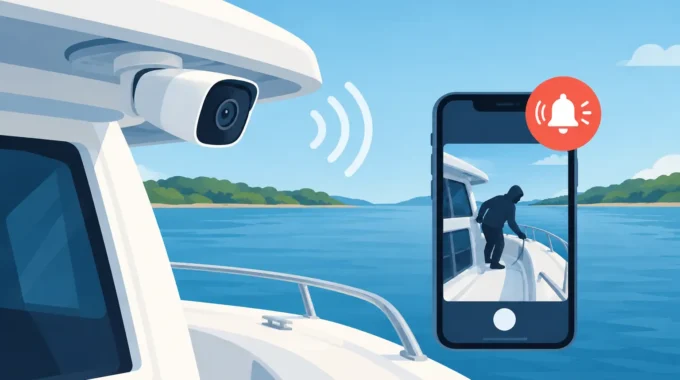
A text alert saying “bilge alarm” is enough to stop you in your tracks. But it does not tell you whether the boat is taking on water, whether a loose fitting has splashed a sensor, or whether someone has simply opened a locker near the camera. When you set camera alarm snapshots correctly, an alarm arrives with the visual evidence needed to make the right call before a manageable fault becomes an expensive salvage, insurance or repair job.
For an unattended vessel, snapshots are not a novelty. They are the fastest way to confirm what is happening at the berth, on the mooring or at anchor when you cannot be there yourself.
Why camera snapshots matter when an alarm sounds
A marine alarm system can detect a serious change in seconds: shore power has failed, a battery voltage has dropped, the bilge pump is running too long, smoke has been detected or an entry point has been opened. The challenge starts immediately after the alert. Is the risk real? How urgent is it? Who should attend the vessel?
A camera snapshot turns an alarm into useful information. A view of the cabin can show whether a hatch is open, smoke is visible or an intruder is aboard. An image of the bilge area may reveal rising water or confirm that the area is dry. An external camera can show whether the vessel has shifted position, whether a line has parted, or whether conditions at the marina have deteriorated.
That visual confirmation helps you respond proportionately. You may call a marina manager, send a nearby friend, instruct a contractor or head to the vessel yourself. If the image shows an immediate threat, there is no time wasted debating whether the SMS is a false alarm.
Snapshots also create a record. If there is damage, unauthorised access or a dispute about when an incident began, alarm-triggered images can support the timeline of events. They do not replace a full security investigation, but they provide evidence that a text-only alert cannot.
Set camera alarm snapshots around real vessel risks
The best camera position is not always the most attractive view. A camera pointed across sparkling water may be pleasant to request remotely, but it will not help much when a bilge alarm, smoke alarm or break-and-enter alert occurs.
Start by matching each camera to the risk you need to confirm. On many yachts and cruisers, one interior camera covering the companionway, saloon and lower access is a sensible first location. It can show movement inside the boat and provide a broad view when an intrusion alarm is triggered.
A second camera is often more valuable near a high-risk area such as the engine space entrance, battery bank, electrical panel, refrigeration equipment or bilge access. The camera does not need to stare directly into every compartment. It needs a clear, useful line of sight that lets you assess the area safely when an alarm arrives.
For external coverage, consider the stern, side deck, tender area, cockpit or berth-side line arrangement. This can be particularly useful for vessels exposed to theft, unauthorised boarding, storm conditions or the risk of going adrift. On larger boats, catamarans and commercial vessels, one camera rarely covers every critical zone. Multiple cameras and more than one monitoring unit may be the practical answer.
Avoid placing a camera where it is constantly blinded by direct sun, reflection off water or cabin lights. Night-time performance matters just as much as the daytime view. Test the image at the time an alarm is most likely to occur, not just while standing on the boat at midday.
Choose the alarms that need an image
Not every notification needs a snapshot. Routine status reports and ordinary battery updates can become clutter if they arrive with images every time. Use snapshots for events where visual verification changes the response.
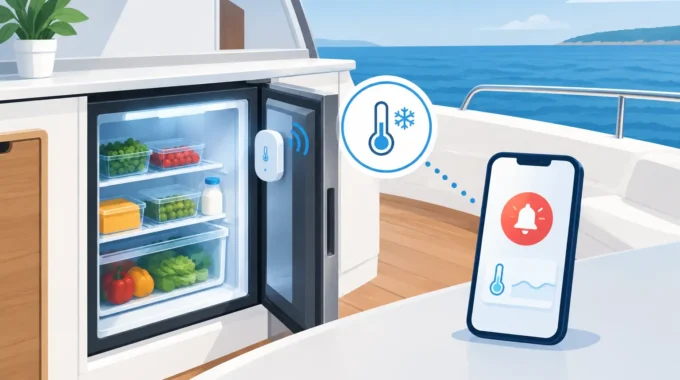
The most useful triggers commonly include bilge high-water alarms, bilge-pump run alerts, smoke or fire detection, intrusion alarms, shore-power loss, refrigerator failure, anchor drag and vessel movement. A low battery alert may also warrant an image if it could be caused by shore-power failure, a charger fault or an appliance left running.
Think about the likely cause of each alarm. If a shore-power alert is received during a hot weekend, an internal image may show whether cabin lighting, refrigeration or other loads are still operating. If an intrusion sensor triggers overnight, a cockpit or saloon image can help distinguish a genuine break-in from movement caused by an unsecured hatch.
Configure delivery to the people who can act
A perfect snapshot is wasted if it goes to one mobile that is switched off, out of coverage or sitting on a bedside table. Set alarm recipients according to who can make decisions and who can physically reach the vessel.
For a private vessel, that may mean the owner, partner, marina contact and a trusted nearby friend. For a fleet or commercial operation, it may include the skipper, maintenance manager and after-hours duty contact. Trek Transponder systems can send direct alarms to up to five mobile numbers, giving owners a practical escalation path instead of relying on a single person.
Keep the recipient list current. If a berth changes, a vessel is relocated, or a caretaker is no longer available, update the contacts immediately. A camera snapshot delivered to the wrong person is no protection at all.
Agree on a simple response plan before there is an alarm. Decide who calls the marina, who attends the boat, and when emergency services or a qualified marine technician must be contacted. This avoids a group message full of uncertainty while water is entering the hull or smoke is building in a locked cabin.
Check image timing and repeat alerts
A single snapshot captures one moment. Depending on the event, that may be enough. A door-open alarm may need only an immediate image, while a rising-water or vessel-movement event can benefit from follow-up snapshots so you can see whether conditions are getting worse.
The right timing depends on your system configuration, connectivity and power budget. Avoid creating unnecessary image traffic, especially where mobile coverage is limited or the vessel is on a low-power storage setup. At the same time, do not make the interval so long that a developing emergency is missed.
Set the initial snapshot to arrive as close to the alarm event as possible. Then test whether additional alerts provide a meaningful comparison. For example, an image taken shortly after a bilge alarm and another several minutes later may show whether water is rising, stable or receding after the pump runs.
Test snapshots before leaving the vessel unattended
Do not assume an installed camera will deliver useful images just because it powers on. Test each alarm-camera pairing at the berth, with the boat secured as it would be when unattended.
Trigger the relevant sensor safely, then check four things: the alarm reaches every intended mobile, the correct camera image is attached or available, the view is clear enough to assess the situation, and the image arrives quickly enough to be useful. Repeat the test in low light where possible.
Pay close attention to mobile signal strength and data connectivity. A camera cannot send proof through a poor connection that has dropped out. If your cruising grounds or mooring location sit outside dependable mobile coverage, a global connectivity option such as Starlink can change what remote monitoring is capable of.
Also check the physical installation. Marine cameras and connections must cope with moisture, vibration, salt air and heat. Use equipment designed for the environment, protect cable runs, and make sure camera housings are securely mounted. A camera that shifts after the first rough weather event may still send an image, but it could be pointing at the deckhead instead of the area that matters.
Avoid the snapshot mistakes that cost time
The most common mistake is relying on one wide camera to cover an entire vessel. Wide coverage is useful, but details can disappear. A second camera aimed at the bilge access, electrical area or entry point often provides the clarity needed to act.
Another mistake is ignoring privacy and crew expectations. Cameras should protect the vessel, not create unnecessary tension. Tell regular crew, charter guests and contractors where cameras are fitted and what they monitor. Position cameras to cover security and safety zones rather than private sleeping or changing areas.
Finally, do not treat snapshots as a substitute for action. An image can confirm a problem, but it cannot close a seacock, reconnect shore power, extinguish a fire or secure a parted mooring line. It gives you the confidence to send the right person with the right instructions without delay.
A clear picture is worth the call-out
Your boat does not wait for a convenient time to flood, lose shore power or attract an intruder. Set camera alarm snapshots for the events that can damage the vessel fastest, test them under real conditions, and make sure the right people receive them. When the alert comes through, a clear image can be the difference between an early call-out and a ruined boat.
Related Posts