Can Starlink monitor a boat? Learn what connectivity can do, where it falls short, and how dedicated alarms protect an unattended vessel remotely.
How to Install Shore Power Alarm Protection
A marina pedestal can trip at 2 am. A shore lead can be knocked loose, a breaker can fail, or the marina supply can go down without anyone noticing. If you install shore power alarm protection properly, your mobile receives the warning while there is still time to act – not when you arrive to flat batteries, defrosted food, a failed fridge or a bilge system that has stopped coping.
Shore power loss is not a minor inconvenience on an unattended boat. It can remove the charging source that keeps your house bank healthy, refrigeration running and monitoring equipment online. On vessels relying on an AC-powered battery charger, the risk compounds quickly. The charger stops, DC loads continue, and a weak battery bank can leave critical equipment without enough reserve.
What a shore power alarm must detect
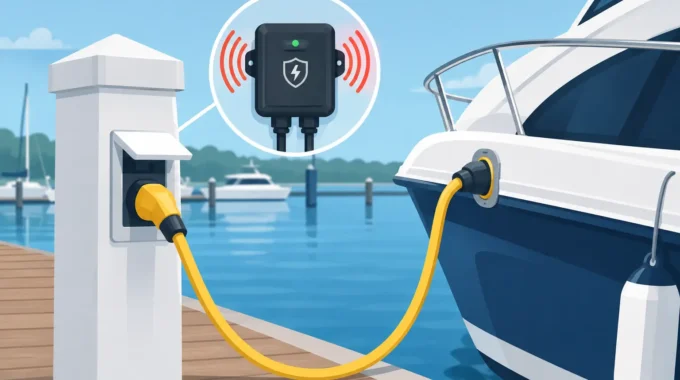
A shore power alarm monitors the presence of the incoming AC supply and sends an alert when that supply disappears. The useful part is not simply detecting that the power is gone. It is making sure the notification reaches the people who can do something about it, wherever they are.
For a berthed yacht, cruiser or houseboat, that usually means an alarm sent directly to one or more mobiles. A properly configured remote vessel alarm can notify up to five nominated numbers, so a partner, marina contact, skipper or fleet manager can all receive the same warning. An app-based alert is useful too, but SMS remains valuable when you need a direct, unmistakable message.
The alarm should be powered from the vessel’s DC battery bank, not only from the shore supply it is watching. Otherwise, it may lose power at the exact moment it needs to report the fault. Low current draw matters here. A monitoring system should keep watching for days or weeks without creating its own battery-drain problem.
A shore power alarm is also not a substitute for electrical protection. It does not replace an RCD, circuit breaker, galvanic isolation arrangement, correctly rated shore lead or sound AC installation. It tells you there is a problem. The boat’s electrical system must still be installed and maintained to the relevant requirements, including AS/NZS 3004.2:2014 where applicable.
Before you install shore power alarm equipment
Start by mapping what actually depends on shore power aboard your vessel. On some boats, shore power only supports a battery charger and a dehumidifier. On others, it supports refrigeration, air-conditioning, hot water, battery charging and equipment needed for an extended liveaboard setup. The more systems it supports, the faster a shore-power failure becomes expensive.
Check the battery bank as well. If your batteries are already tired, an outage can expose the problem much sooner than expected. Work out the normal DC load when the charger is off. Refrigeration, lighting left on, pumps cycling, a router and security equipment can steadily pull down a bank that looked acceptable when shore power was available.
Also decide who will respond. An alarm without a response plan simply transfers the stress to your mobile. If you are several hours from the marina, nominate someone local who can check the pedestal, shore lead and onboard breakers. Commercial operators should document this response path, particularly where several vessels are monitored by one person.
Where the shore power sensor should be fitted
The AC sensing point needs to be on the vessel side of the shore connection and positioned so it confirms the supply you actually rely on is present. In many installations, this is within the AC switchboard area or near the charger supply circuit. The exact location depends on the vessel’s electrical layout and the alarm hardware being fitted.
Do not treat mains wiring as a weekend tinkering job. Any work involving 240 V AC circuits should be completed by a suitably qualified marine electrician. Salt air, vibration, moisture and cramped access all make marine electrical work less forgiving than a domestic installation. A neat-looking connection is not enough if it is not correctly protected, enclosed and tested.
The alarm control unit itself should be mounted in a dry, secure location with practical cable runs to its sensors and DC supply. Marine-rated, IP67 hardware is a sensible choice where damp lockers, spray and condensation are realistic conditions. Keep cables supported, protected from chafe and routed away from heat sources and moving gear.
Fit the alarm on a protected DC supply
Power the monitoring system from a fused DC circuit that remains live when you leave the boat. If it is connected downstream of a battery isolation switch that is routinely turned off, the system cannot warn you once you have locked up and gone home.
Use the specified fuse size, correct cable gauge and sound crimping practice. Confirm the DC supply voltage at the alarm unit under normal load. A poor earth connection or voltage drop can cause unreliable alerts and is exactly the sort of hidden fault that becomes apparent when the vessel is unattended.
Configure a sensible alert delay
Not every brief interruption should trigger a full-scale emergency. Marina power can blink off during switching, storms or maintenance. A short delay can prevent nuisance notifications from a momentary dropout.
But do not set the delay so long that it defeats the purpose. The right setting depends on your battery capacity, loads and distance from the boat. A vessel with a large healthy battery bank and minimal load may tolerate a longer delay. A boat running refrigeration, active security equipment and a small battery bank needs a much faster warning.
Test the alarm before relying on it
Installation is only half the job. Test the system while you are aboard and able to observe what happens. Switch off the relevant shore-power supply in a controlled way, then confirm that the alarm identifies the loss and that every nominated mobile receives the correct message.
Check the timing. If the notification arrives too late, review the configured delay and mobile network conditions. If it arrives immediately after a harmless flicker, adjust the delay cautiously rather than disabling the alert altogether.
Restore shore power and confirm the system reports normal supply again, if that function is enabled. Then verify that the battery charger has resumed operation and that any appliances affected by the outage are operating normally. This is also a good time to inspect the shore lead, pedestal plug and onboard inlet for heat marks, corrosion, loose fittings or water ingress.
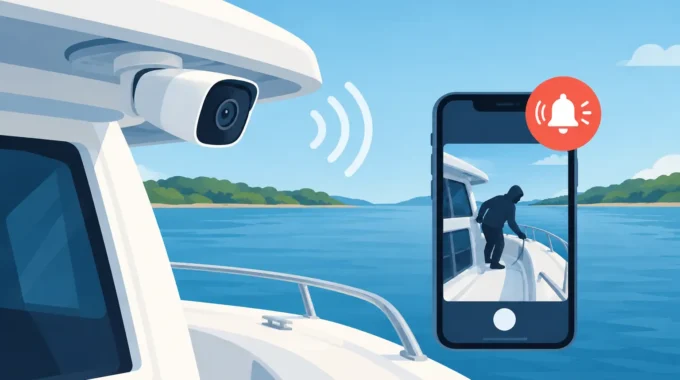
If your system supports alarm-triggered camera images, request an image during testing. A power-loss message paired with a current view of the cockpit, saloon or switchboard area gives you better information before you decide whether someone needs to attend the vessel. It cannot diagnose every electrical fault, but it can quickly show whether the boat is secure, afloat and where it should be.
Shore power loss rarely happens alone
The strongest protection comes from treating shore power as one risk among several. An outage may be the first warning, but the next failure can be low battery voltage, a fridge temperature rise, bilge pump overrun or water entering the boat. A vessel that has lost charging capability during heavy rain deserves more attention than one with a simple overnight pedestal trip.
That is why integrated monitoring makes practical sense. Trek Transponder systems can combine shore-power alerts with battery voltage, high-water, bilge-pump, fire, smoke, intrusion and movement alarms, providing once-per-second monitoring and direct notifications to nominated mobiles. For a larger catamaran, charter fleet or vessel with separated compartments, multiple monitoring units may be appropriate rather than assuming one sensor location covers everything.
There is a trade-off. More sensors provide a clearer picture of what is happening aboard, but only if each one is correctly fitted, labelled, tested and maintained. Start with the risks that can cause the most immediate loss, then build from there.
Keep the system ready between visits
Add shore power alarm checks to your normal berth routine. Test the alert after changes to your electrical system, battery bank, charger, marina berth or mobile numbers. Review notifications after a storm or known marina outage. Replace damaged shore leads immediately and never rely on a lead that has become hot, brittle or loose at either end.
Most importantly, act on a shore-power alert promptly. It may be a simple tripped pedestal breaker. Or it may be the early signal that prevents a flat bank, failed bilge pumping or an unattended vessel becoming tomorrow’s expensive marina incident.
Related Posts