Fire alarms give boat owners early warning of smoke and heat, so you can act before a small fault becomes a destructive vessel fire when unattended at sea.
Boat Flooding Alert via SMS for Unattended Boats
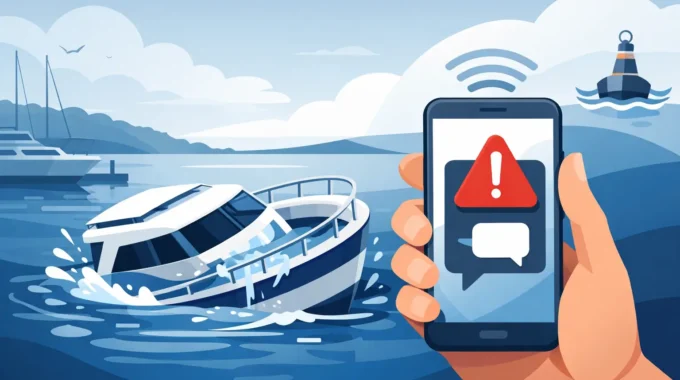
A boat can take on enough water to become a serious problem long before anyone at the marina notices. A failed hose clamp, leaking stern gland, stuck bilge pump float or flat battery can turn a routine absence into a salvage job. A boat flooding alert via SMS puts the warning in your hand when water reaches an unsafe level, rather than leaving you to find out at your next visit.
For an unattended yacht, cruiser, houseboat or work vessel, speed matters. Water does not wait for business hours, good weather or the next weekend aboard. The right remote alarm system gives you a clear warning, sends it to the people who can respond, and provides the information needed to decide whether to head to the boat, call the marina or arrange urgent assistance.
Why flooding alarms must work when nobody is aboard
Most vessels do not sink because of one dramatic event. They sink because a small fault is allowed to continue unnoticed. A cracked wash-down hose, a loose plumbing fitting, rainwater entering through a failed hatch seal, or water backing up through a cockpit drain can slowly fill a bilge. If the pump is working, the immediate risk may appear contained. But a pump running continuously can flatten batteries, burn out its motor or reveal a leak that is getting worse.
That is why bilge monitoring needs to go beyond a local buzzer. A siren is useful if someone is within earshot. It is no help when your vessel is on a mooring, tucked into a berth overnight or stored at a marina while you are hours away. SMS remains one of the most direct alarm paths available. It arrives on ordinary mobile networks and can alert several people at once without requiring them to be watching an app at the exact moment water rises.
A proper system should send flooding alarms to up to five mobile numbers. That gives an owner, partner, marina contact, caretaker or skipper a chance to respond quickly. For commercial operators and hire fleets, this is practical risk control. One person may be off duty or out of coverage. The alarm should not rely on a single phone being answered.
What a boat flooding alert via SMS should detect
A useful flood warning is not simply a switch in the bilge. It needs to be part of a broader picture of what is happening on board. Water detection should trigger immediately when the sensor reaches its set level, but it should also sit alongside monitoring for pump operation, battery condition and shore-power loss.
Consider a vessel connected to shore power at its marina berth. A pump begins cycling due to a plumbing leak, then shore power fails during the night. The battery takes over, but it is already ageing. By morning, the pump has stopped and the water level is climbing. If the system can alert you to shore-power loss, low battery voltage and bilge flooding, you have earlier opportunities to intervene. Waiting for the final high-water alarm is better than no warning, but it is not the best outcome.
Flood sensors must also be suited to a marine environment. Bilges are wet, salty, dirty and subject to vibration. Marine-grade, IP67-rated alarm hardware is built to tolerate those conditions far better than a domestic smart-home device placed in a boat. It should have low current draw as well, because a monitoring system that drains batteries while the boat is unattended defeats its own purpose.
The bilge pump is not proof that the boat is safe
Owners often assume that an automatic bilge pump provides complete protection. It does not. The pump is one layer of defence, and it can fail in several ways. Its fuse can blow, wiring can corrode, the float switch can jam, an outlet hose can block, or the battery can lose charge. A pump may also continue running because water is entering faster than it can discharge it.
Monitoring pump activity can expose abnormal behaviour before high water reaches the alarm sensor. A pump that cycles every few minutes when the boat is normally dry needs investigation. A pump that has not run when the bilge is wet may also indicate a problem. The best approach depends on the vessel layout and plumbing, but the principle is simple: know when water is entering, and know whether the vessel is coping with it.
Alarm confirmation prevents wasted trips
An SMS alert tells you something needs attention. It does not always tell you why. That is where alarm-triggered HD camera images have real value.
A camera aimed at the bilge, engine space, cockpit or interior can provide visual confirmation after an alarm. You may see rising water, a running pump, rain entering through an open hatch or a loose item interfering with a float switch. In other cases, an image can show that conditions look normal, helping you assess whether the issue is urgent or whether a trusted local contact can check the vessel during daylight.
Images are not a substitute for action when a flood alarm is received. They are evidence that helps you act decisively. If water is visible, the response should be immediate. Arrange someone to attend, notify the marina if applicable, and make sure they know the vessel location, access details and isolator positions. A remote alarm only protects the boat if there is a response plan behind it.
Set the system up for the vessel you actually own
Every boat has different risks. A trailer boat stored at home has different exposure from a yacht on a swing mooring. A houseboat with extensive plumbing, refrigeration and shore power has more possible failure points than a simple day boat. Large catamarans may need multiple monitoring points because the hulls, machinery spaces and bilges are separated.
Start by placing water sensors at the lowest practical points where flooding will first appear. Do not fit a sensor where normal condensation or a minor wash-down will create constant nuisance alarms. At the same time, do not mount it so high that it only triggers once the situation has become severe. An experienced marine installer can help select the right locations and ensure sensor wiring, battery feeds and pump monitoring are protected from chafe and corrosion.
Then decide exactly who receives the message. Include people who can genuinely respond, not simply everyone in your contacts. Check that each mobile number is correct, test the alert process, and ensure your marina or caretaker knows what authority they have if an alarm is received. It is worth documenting the steps: who attends first, who has keys, where the battery isolation switches are, and which local marine service can be called after hours.
For vessels operating beyond reliable mobile coverage, connectivity is the trade-off to consider. Standard 4G SMS/MMS monitoring is highly effective around Australian marinas and populated coastal areas. Owners cruising farther afield may need a Starlink-enabled vessel monitoring option to maintain remote oversight wherever their voyage takes them. The alarm hardware still needs to be installed correctly; global connectivity cannot compensate for poor sensor placement or neglected bilge pumps.
Treat every flood warning as an early chance to save the boat
The financial damage from flooding is rarely limited to the waterline. Electronics, engines, upholstery, timberwork, safety gear and personal belongings can all be affected. Even a shallow flood can create corrosion problems that emerge months later. There may be an insurance claim, a survey, lost use of the vessel and a difficult conversation with the marina or other berth holders.
Trek Transponder systems monitor once per second and can send direct SMS/MMS alarms, along with camera images when an alarm occurs or when you request them. That level of oversight is designed for the time your vessel is unattended – the hours when small faults become expensive disasters.
Test your flood alarm before you need it. Make sure the message reaches the right mobiles, inspect the bilge pump and float switch, and review the response plan with anyone who may be called out. The best time to deal with water in the bilge is when it is still only a warning on your phone.
Related Posts