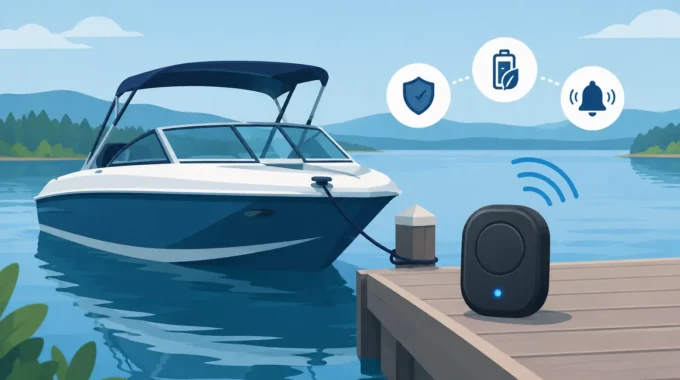
A low power boat alarm system protects unattended vessels from flooding, fire, theft and power loss without draining the batteries it is meant to protect.
Vessel Alarm Maintenance That Prevents Disaster
A boat can take on water, lose shore power or break free long before anyone at the marina notices. That is why vessel alarm maintenance is not a set-and-forget job. Your alarm system is there to warn you while you are at home, travelling or managing another vessel. If a sensor, battery connection or mobile alert path has failed, that warning may never arrive.
The cost of checking a monitoring system is small. The cost of a dead battery bank, spoiled refrigeration, flooded cabin, fire damage or a vessel on the rocks is not. Treat alarm checks as part of normal vessel upkeep, alongside engine servicing, bilge inspections and safety equipment checks.
What vessel alarm maintenance must cover
A working alarm system depends on more than the main control unit. Every sensor, cable, power source, communications path and notification setting needs to perform when conditions turn bad.
Start with the risks your boat faces while unattended. A trailer boat stored at home will have different priorities from a yacht on a swing mooring, a cruiser connected to shore power, or a commercial vessel left between shifts. Flooding, shore-power failure, battery voltage, intrusion, fire and smoke, anchor drag, excessive heel, refrigeration loss and a vessel going adrift are all separate events. Make sure the system is configured to detect the risks that genuinely apply to your vessel.
A useful maintenance routine confirms three things: the alarm detects the problem, the alert reaches the right people, and someone can act on it. An alarm sent to an old mobile number, a flat phone or an owner overseas without a local contact is not a complete protection plan.
Test alarms without creating a real emergency
Testing should be deliberate. Warn your co-owner, marina contact, skipper or crew before beginning, especially if the system activates a siren, deck lights or multiple SMS and MMS messages.
Check the control unit and physical condition
Inspect the control unit, enclosure, wiring entries and connectors for corrosion, loose fittings, chafed cable or water ingress. Marine conditions punish poor connections. Salt air reaches places that look dry, while condensation inside lockers can quietly damage terminals and boards.
Confirm that the unit is mounted securely and that cable runs are protected from movement, sharp edges and heat. If you have added equipment since installation, check that no new wiring has been tied into alarm circuits without proper fusing and isolation. A tidy installation makes faults easier to find and reduces the chance of a damaged cable taking out critical monitoring.
Marine alarm hardware should be suited to the location. An IP67-rated device can handle harsh conditions far better than general-purpose electronics, but the rating does not excuse cracked glands, compromised seals or a submerged installation beyond its intended use.
Verify battery voltage and backup power
A remote alarm cannot protect a vessel if it has no power. Check supply voltage at the alarm unit, not only at the battery terminals. Voltage drop through a corroded fuse holder, undersized cable or poor earth connection can leave the unit unstable even when the batteries appear healthy.
Test low-voltage alerts by safely simulating the threshold or temporarily changing the alarm setting in accordance with the system instructions. Then restore the normal setting immediately. The purpose is to prove that a falling battery bank produces a real notification before it reaches the point where pumps, lights, communications or starting capacity are affected.
If the system has a backup battery, test it under loss of primary power. Disconnect shore power where safe to do so, or isolate the appropriate supply circuit, and verify that monitoring remains operational. Do not guess. Confirm it by receiving the alert and checking the system status.
Test bilge, water and pump monitoring
Bilge alarms deserve special attention. A failed bilge pump, blocked outlet or water ingress can turn a minor leak into an insurance claim in hours.
Lift each float switch manually where practical, or use the approved test method for the sensor fitted. Confirm the alarm recognises the condition, the pump operates if connected to that circuit, and the notification arrives on nominated mobiles. If your system monitors pump run time or repeated pump cycles, inspect the recent history. A pump running more often than usual may be telling you about rainwater, a leaking hose, a failed non-return valve or hull ingress.
Never assume a dry bilge means there is no problem. A float switch can seize, wiring can fail and a pump can run without moving water. Inspect the strainer, discharge hose and outlet as part of the same check.
Confirm shore-power and refrigeration alerts
Shore power can fail because of a marina outage, tripped breaker, loose lead, damaged pedestal connection or onboard charger fault. For vessels relying on AC power to maintain battery charging, refrigeration or dehumidification, a shore-power alert gives you time to act before the consequences spread.
Test the shore-power sensor by safely disconnecting or isolating the monitored supply. Confirm both the loss notification and the restoration message. A restoration alert matters because it tells you whether the issue was temporary or whether someone has attended the vessel.
For refrigeration monitoring, compare the reported temperature against an independent thermometer. Sensor placement matters. A probe beside an evaporator, in direct sun or against a cold plate may give misleading results. Check door seals and ventilation as well, because not every refrigeration failure begins with a power loss.
Keep communications and contacts current
Remote monitoring is only useful if the message gets through. Test SMS, MMS, app notifications and camera image delivery from the vessel’s normal berth. Signal quality can change with marina construction, new buildings, weather and where the antenna is fitted.
Check the mobile service account, SIM status and any applicable data allowance. Where a system uses Starlink or another satellite connection, verify that it is powered, connected and configured for the way the vessel is operated. Global coverage is valuable when you cruise beyond mobile range, but it still needs a healthy power supply and a tested notification path.
Review the recipient list at least every season. Remove former crew, contractors and old numbers. Add a trusted local contact who can access the vessel if you are interstate or overseas. Up to five mobile recipients can provide valuable redundancy, but only if each person understands what they are expected to do when an alarm arrives.
Cameras need maintenance too
A camera image can stop a rushed, expensive trip to the marina or confirm that immediate action is needed. Wipe lenses with a suitable non-abrasive cloth, inspect mounts and check that the camera view has not been blocked by canvas, tender gear, a new solar panel or a shifted fender.
Request an image remotely and inspect it on the mobile that will receive real alarms. Check day and night visibility. A camera may be working electrically but provide little useful evidence if glare, poor positioning or a dirty lens hides the bilge, cockpit or access point you need to see.
For intrusion protection, test door, hatch and motion sensors one at a time. Walk through the protected area, open monitored access points and confirm each zone reports correctly. Adjust sensor placement only after considering pets, loose covers, swinging doors and other causes of nuisance alarms. Too many false alarms train people to ignore the one that matters.
Set a schedule that matches the vessel’s exposure
Monthly checks suit many permanently moored or unattended vessels. Increase the frequency during heavy rain periods, cyclone season, extended absences, after electrical work, or when the boat has shown any sign of battery, bilge or shore-power trouble.
A more complete inspection should be completed before a long trip away and after returning from one. If the vessel has been hauled out, moved berths, had a refit or changed communications providers, test the entire chain again. Movement and modifications are common times for wiring, antennas and sensor settings to be disturbed.
Keep a simple record of each test, including date, sensor tested, result and any corrective work. This helps identify repeat faults and gives a clear maintenance history for insurers, operators and future owners.
Do not wait for an alarm to expose a fault
The best alarm is the one that gives you warning early enough to save the vessel. Trek Transponder systems are built for this job, with once-per-second monitoring, direct alerts to nominated mobiles and camera evidence when you need to see what is happening. But every monitoring system still needs regular testing, sound installation and an owner prepared to respond.
Book time this week to test the alarms that stand between your vessel and a costly unattended disaster. A few controlled checks at the berth are far better than finding out something failed after the water is already rising.
Related Posts