Fire alarms give boat owners early warning of smoke and heat, so you can act before a small fault becomes a destructive vessel fire when unattended at sea.
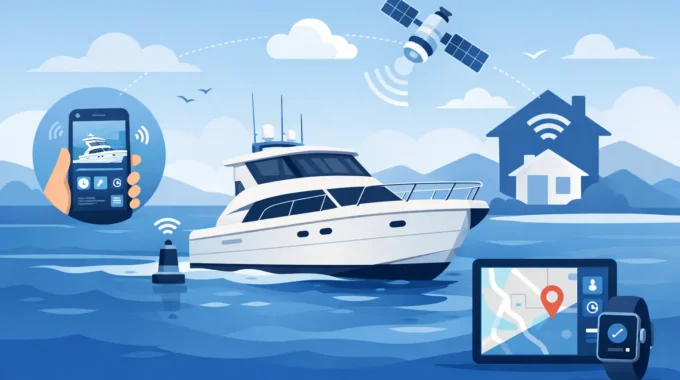
How to Monitor a Boat Remotely Before Trouble Starts
A boat can take on water, lose shore power or break free from its mooring long before anyone at the marina notices. Knowing how to monitor a boat remotely means you can receive the warning while there is still time to act – not when a neighbour calls to say the deck is sitting low or the batteries are ruined.
For owners who leave a yacht, cruiser, houseboat or commercial vessel unattended, remote monitoring is not a convenience feature. It is a practical defence against expensive damage, insurance claims, cancelled trips and the stress of not knowing what is happening onboard.
Start with the risks your vessel actually faces
Remote boat monitoring works best when it is built around the failures most likely to affect your vessel and berth. A boat on a marina berth may be exposed to shore-power failure, battery discharge, bilge flooding, theft and fire. A vessel on a swing mooring also needs protection against anchor drag, a broken mooring line or going adrift. A liveaboard or larger cruiser may need refrigeration alarms, hatch and door security, and monitoring across several compartments.
The critical point is that these events do not wait for your next visit. A failed battery charger can leave a fridge off for days. A small leak can become a flooded cabin after a storm. A bilge pump that runs continuously may be trying to keep up with a leak, or it may be cycling because of a faulty float switch. Both need attention.
Write down the systems that can cause the biggest loss if they fail: bilge pumps, batteries, shore power, smoke detection, refrigeration, security zones and position. This is the basis for deciding which sensors and alarms to install.
Use a purpose-built marine alarm system
A domestic security alarm or a consumer camera alone is not enough for an unattended boat. Marine systems operate in vibration, moisture, salt air, fluctuating battery voltage and often patchy mobile coverage. The hardware needs to be properly protected, economical on power and designed to report a fault without relying on someone watching a screen all day.
Look for IP67-rated equipment for exposed or damp installation areas. It should have very low current draw so the monitoring system does not become another drain on the vessel batteries. It must also be installed in a way that protects wiring, avoids water traps and keeps sensors accessible for regular testing.
A serious remote monitoring setup should detect conditions such as:
- high bilge water and abnormal bilge-pump operation
- shore-power loss, low battery voltage and charging failure
- fire, smoke and excessive heat
- intrusion through doors, hatches or protected spaces
- anchor drag, vessel movement, excessive pitch and roll, or a boat going adrift
- refrigeration failure where provisions, medicines or commercial stock are at risk.
One sensor rarely tells the full story. A high-water alarm is useful, but it is more valuable when paired with a camera image and an alert showing whether shore power has also failed. That combination helps you make a decision from home rather than driving to the marina for every minor alarm.
Make sure alerts reach people who can act
The best alarm is useless if it sends a notification to one mobile that is switched off, out of range or left on the kitchen bench. Remote monitoring should deliver direct alerts to multiple nominated contacts. That may include the owner, a partner, a marina manager, a skipper, a crew member or a trusted local contractor.
SMS remains especially useful because it is immediate, familiar and does not require a person to be logged into an app at the moment the alarm occurs. MMS or app notifications that include an HD camera image provide visual evidence of what is happening onboard. A photo of a dark cabin, an open hatch or rising bilge water changes the urgency of a response.
Set alert priorities carefully. Fire, smoke, high water, power loss and unauthorised movement should demand immediate action. Lower-priority events, such as a fridge temperature drifting outside its normal range, may warrant a warning and a planned visit. Too many nuisance alarms teach people to ignore notifications, which defeats the purpose of the system.
Trek Transponder systems can send alarms directly to up to five mobile numbers, allowing the people who can respond to be notified at the same time rather than relying on one person to relay the message.
Add cameras for proof, not just surveillance
A marine camera is most valuable when it answers a question raised by an alarm. Is the person onboard an intruder, a cleaner or a marina staff member? Is the bilge alarm genuine? Has a storm cover come loose? Is the boat still sitting correctly in its berth?
Position cameras where they can verify the most serious incidents. The cockpit can show mooring lines, access points and movement. A cabin camera can confirm intrusion, smoke or water ingress. An engine-room or machinery-space camera can help identify whether a pump, charger or cooling system needs attention. Avoid placing a camera where condensation, glare or a nearby light will make the image useless at night.
Choose a system that can send camera images automatically when an alarm triggers, as well as on request. Waiting for a live video stream to load on a weak connection is not the same as receiving an image that gives you immediate proof.
Monitor often enough to catch a fast-moving failure
The timing of monitoring matters. Battery voltage and temperature may change gradually, but a bilge event, an intruder or a vessel moving off station can develop quickly. Monitoring once per second gives the system the opportunity to identify a sudden change and trigger an immediate response.
That does not mean you need constant messages. It means the system is watching continuously and only speaks up when a condition breaches the limits you have set. The app should let you check live status when you want reassurance, while the alarm system remains responsible for waking you when there is a real problem.
For larger vessels, catamarans and commercial fleets, one monitoring unit may not cover every compartment, hull or machinery area. Multiple units can be fitted to cover separate bilges, cabins, refrigeration spaces and security zones. Treat each zone as a possible point of failure, particularly where a single leak or electrical fault could remain hidden.
Choose connectivity for where the boat goes
Most Australian boat owners can use 4G-based monitoring effectively while their vessel is in a marina, on a mooring or operating near populated coastal areas. It provides direct SMS and MMS alerting without the cost and complication of a permanent satellite setup.
However, mobile coverage has limits. If the vessel spends extended time offshore, travels through remote areas or is part of a cruising programme beyond reliable 4G coverage, satellite connectivity becomes a practical consideration. A Starlink-enabled monitoring option can maintain contact well beyond the reach of normal mobile networks, provided the vessel has the required equipment, service and power arrangement.
It depends on how and where you use the boat. Do not pay for offshore connectivity if the vessel never leaves a well-covered marina. But do not assume a standard mobile alarm will protect an offshore cruiser hundreds of nautical miles from land.
Install for reliability, then test it like safety equipment
A monitoring system should not be fitted and forgotten. Have the installation completed by a capable marine electrician or preferred installer if you are not confident with DC wiring, relay circuits and sensor placement. This is particularly important where the system interfaces with pumps, sirens, lights, shore-power circuits or other critical equipment.
Check that the system is suitable for Australian marine electrical requirements, including AS/NZS 3004.2:2014 where applicable. Wiring quality, fusing, cable routing and waterproof connections are every bit as important as the monitor itself.
Once installed, test each alarm deliberately. Lift the bilge float switch, isolate shore power, open a protected hatch, trigger the smoke detector according to its instructions and request camera images from your mobile. Confirm every nominated contact receives the right alert. Repeat these checks before storm season, before a long trip away and after any electrical work onboard.
Remote monitoring gives you the chance to act early, but it cannot bail out the boat, reset a breaker or tie a loose line for you. Keep a clear response plan with the marina, a nearby friend, a contractor or crew member who can reach the vessel quickly. When the alarm arrives, minutes matter.
Related Posts